Design Terms
From A - Z
-
01. Discovery
- Discovery is a preliminary phase in the UX-design process that involves researching the problem space, framing the problem(s) to be solved, and gathering enough evidence and initial direction as well as consensus on what to do next.
- The Outcome of a Discovery: At the end of the discovery, the team has a detailed understanding of the problem and what outcomes to aim for, as well as where to focus its efforts. They may also have some high-level ideas for solutions that they can take forward and test. In some cases, the end of a discovery might be a decision not to move forward with the project because, for example, there isn’t a user need.
- Discovery isn’t about producing outputs for their own sake. However, the following might be produced to help the team organize learnings about the problem space and users:
- A finalized problem statement: a description of the problem backed up with evidence that details how big it is and why it’s important Finalized maps, such as a user-journey map or service blueprint, User-needs statements, Personas,High-level concepts or wireframes (for exploring in the next phase)
- All discoveries strive to achieve consensus on a problem to be solved and its desired outcomes.
-
02. UX Research
- A Discovery should result into the following Research:
- Understanding of users: Through user research, the project team achieves an understanding of who the users are and how they are affected by a particular problem, as well as what they need, desire, and value from a solution (and why).
- Understanding of the problems to be solved and of the opportunities: Through investigative work, the team understands how and why the problem(s) occur, and what effect the problem has on users, as well as on the organization. It understands the magnitude of the problem and opportunities for the organization, product, or service.
- Understanding of existing constraints: By learning about current business processes, solutions, and available compatible technologies, the team can identify feasible solutions to explore after discovery.
- Shared vision: During discovery, the team works with stakeholders to understand overarching business objectives and desired outcomes and get answers to questions such as “What do we want to achieve?” or “What does success look like?” This approach, in turn, focuses the team on the problems (and later the solutions) that will have the greatest impact on that outcome. The team should also have an idea of what to measure going forward, to understand whether the solution is working towards the desired outcome.
-
03. UX Web Audit
-
04. Brand Audit
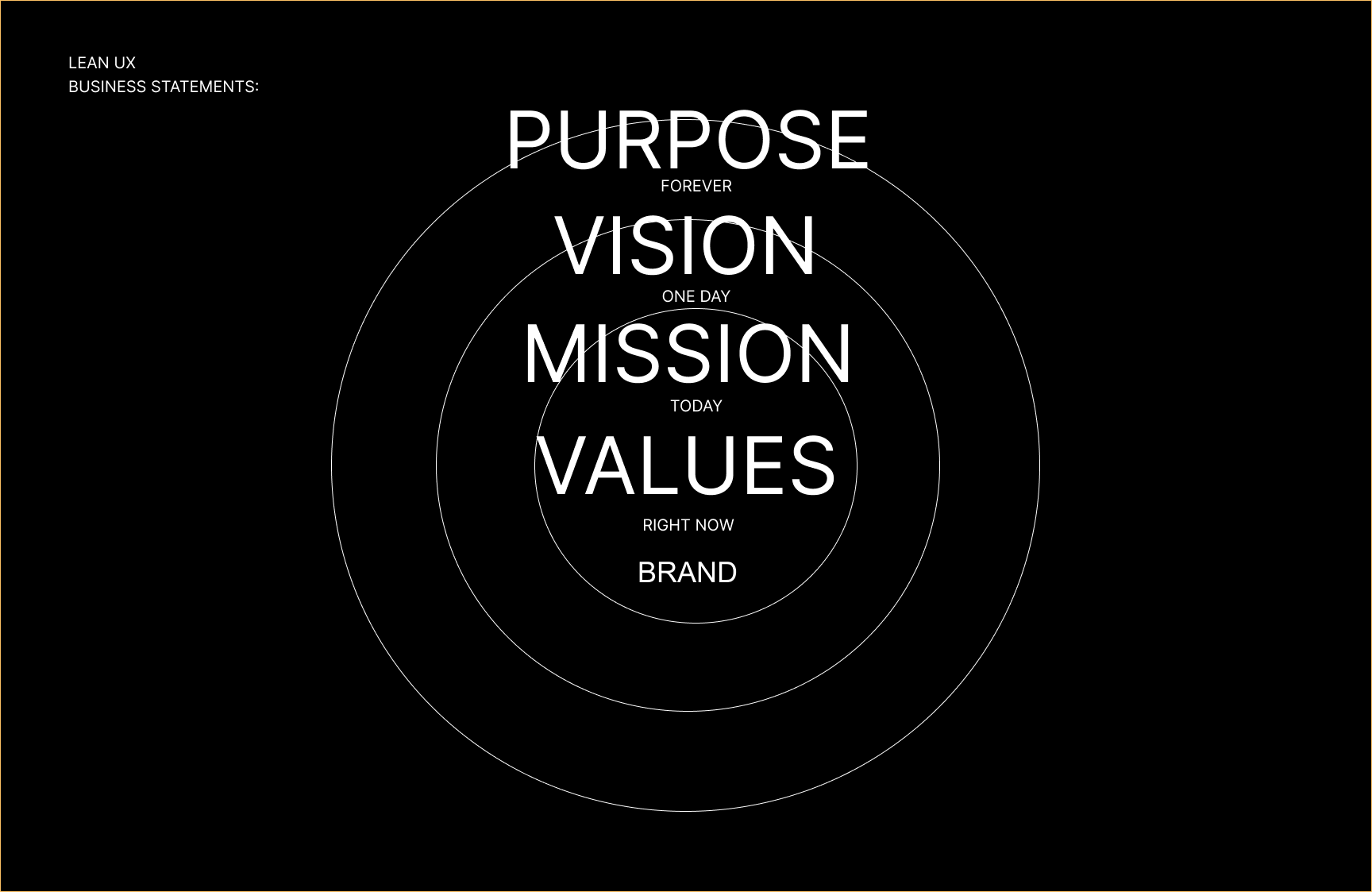
- The purpose of a brand audit is to evaluate how a brand is currently performing in the market and identify opportunities for improvement. It helps a company understand its brand's strengths, weaknesses, and positioning from both internal and external perspectives.
-
05. UX Lean Canvas
-
06. UX Survey
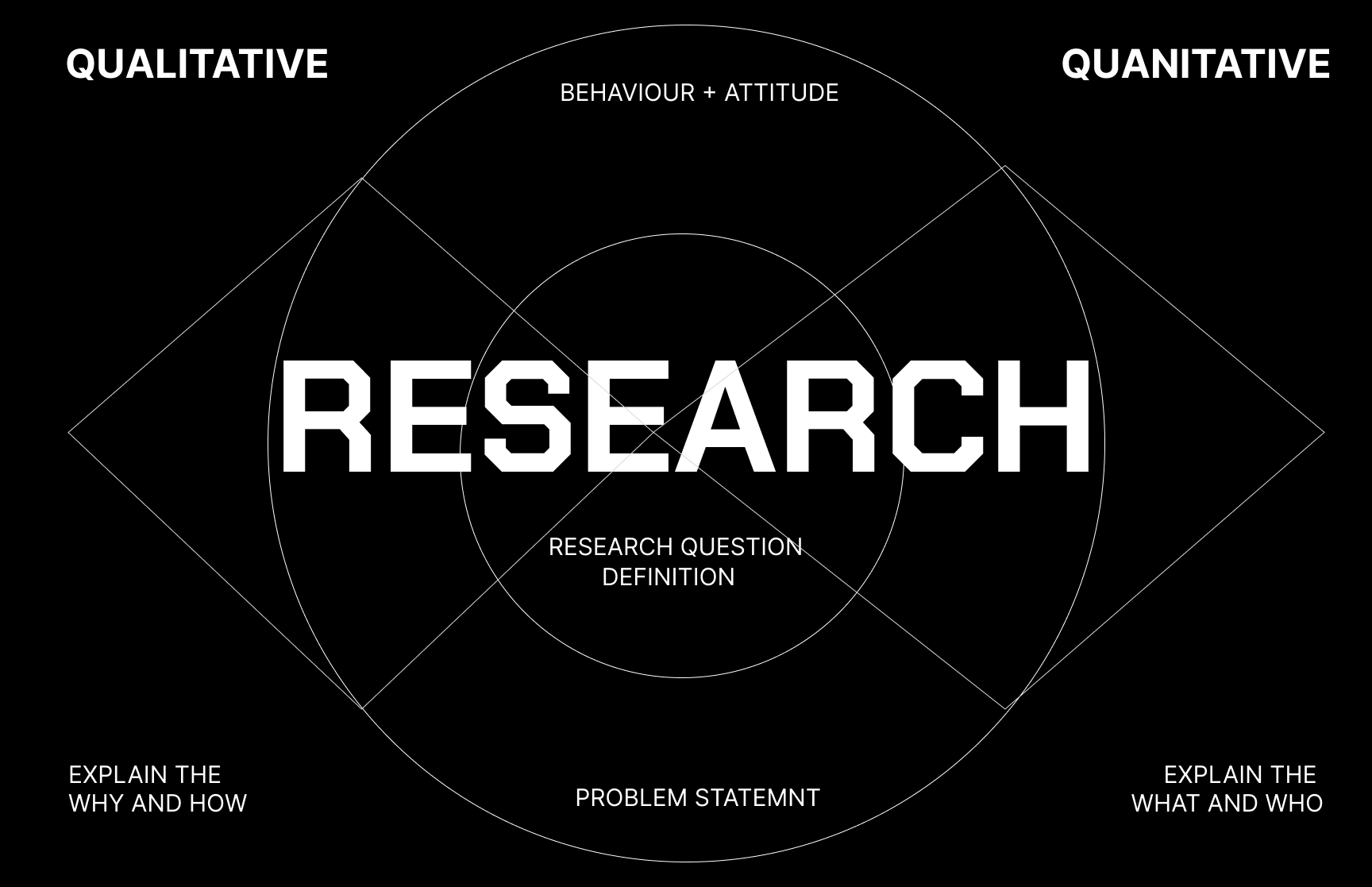
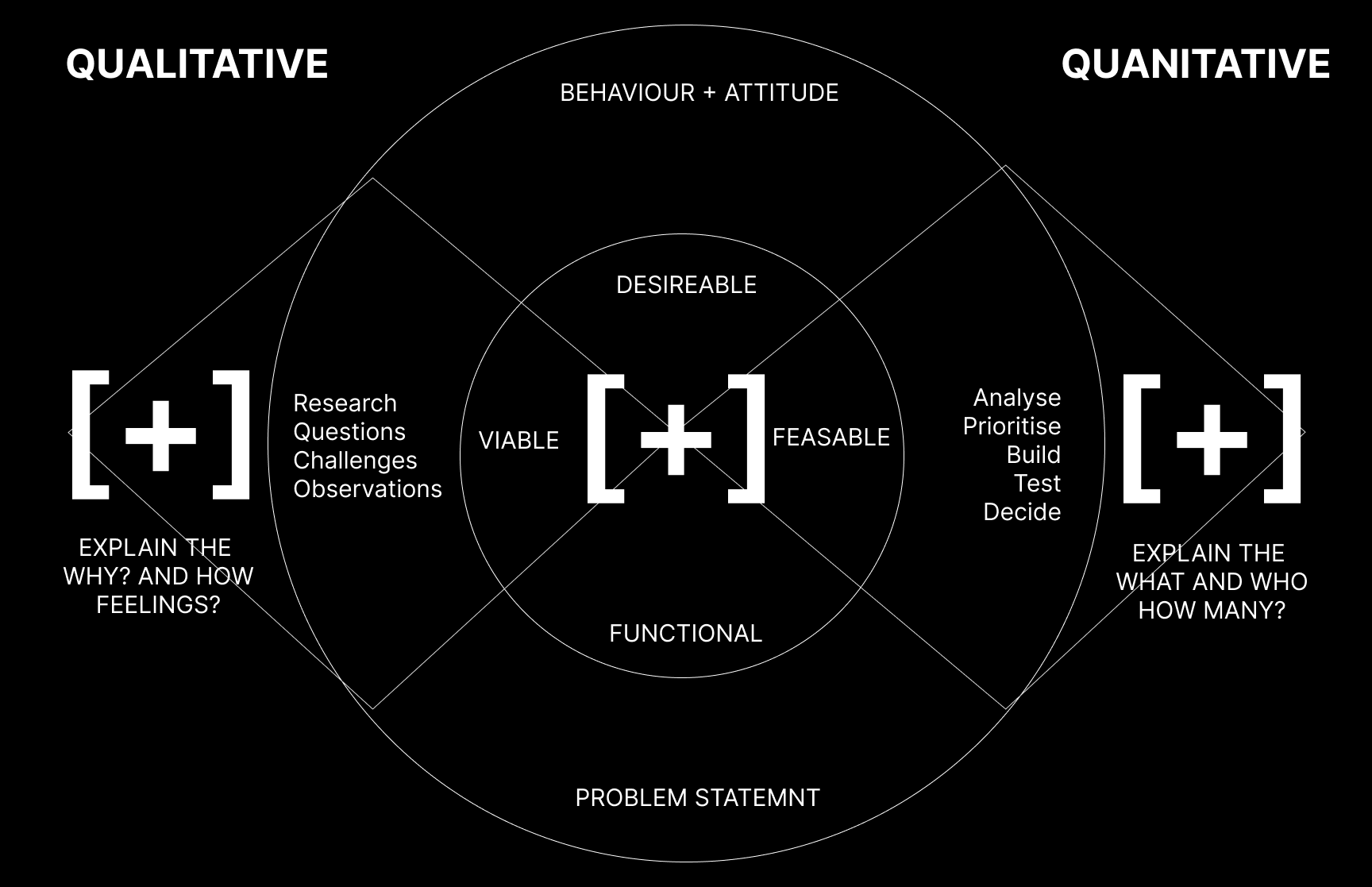
- User experience (UX) surveys play a crucial role to help design teams understand users’ needs, preferences and behaviors. When UX researchers or designers gather feedback as qualitative research data and quantitative research data from many participants, they can gain valuable insights.
- We create an UX SURVEY to gather feedback about a brand design, grafik assets, an app or website perception, or for business insights of stakeholder.
- We explain the WHY? and HOW ? we describe the hypothesisis, problem statement, the product or experience the survey is for,
- The type of feedback we're aiming to gather QUALITATIVE = behaviour,(e.g., viability, functional, usability, satisfaction, accessibility), QUANTITATIVE = numbers, results,
- our target audience (e.g., general users, beta testers, internal team)
-
07. UX Maturity
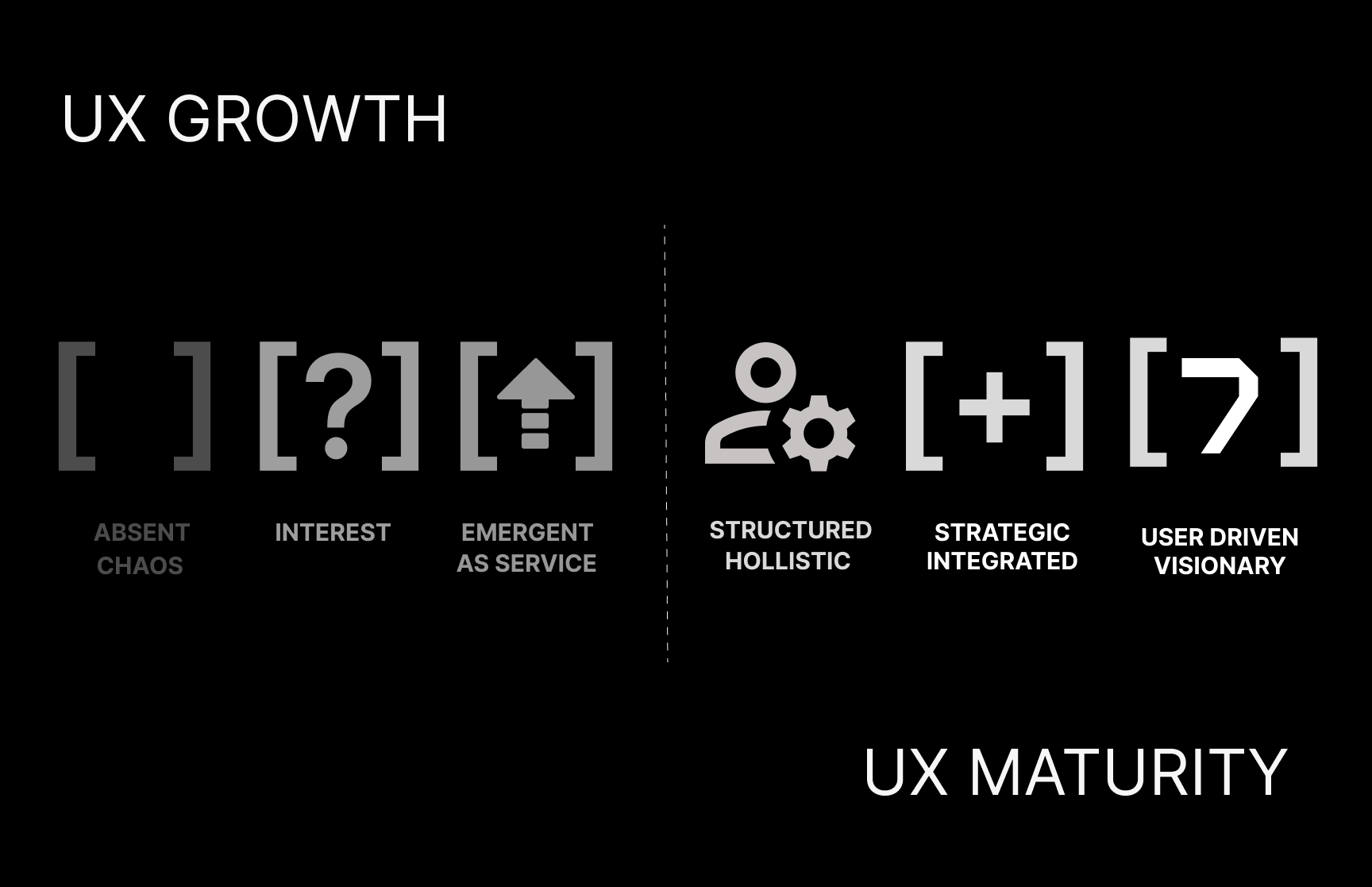
- UX-maturity model provides a framework to assess each organization’s UX-related strengths and weaknesses. We can use that assessment to determine which of the 6 stages an organization currently occupies. Further, this model provides insights about how an organization can increase its UX maturity. This approach's invention is based on Jakob Nielsen's scale and substantiated by Charlie Kreitzberg, senior UX advisor at Princeton University.
- Improving UX maturity requires growth and evolution across 4 different factors, including:
Strategy: UX leadership, planning, and resource prioritization,
Culture: UX knowledge and cultivating UX careers and practitioners’ growth,
Process: the systematic use of UX research and design methods,
Outcomes: intentionally defining and measuring the results produced by UX work - UX maturity is an important practice for several reasons—a high level of UX maturity brings significant benefits to organizations. Here's why it matters: Efficient Development Process, Informed Decision-Making, Competitive Advantage, Scalability and Sustainability
- Take the UX Survey to test your UX maturity status.
-
08. UX Strategy
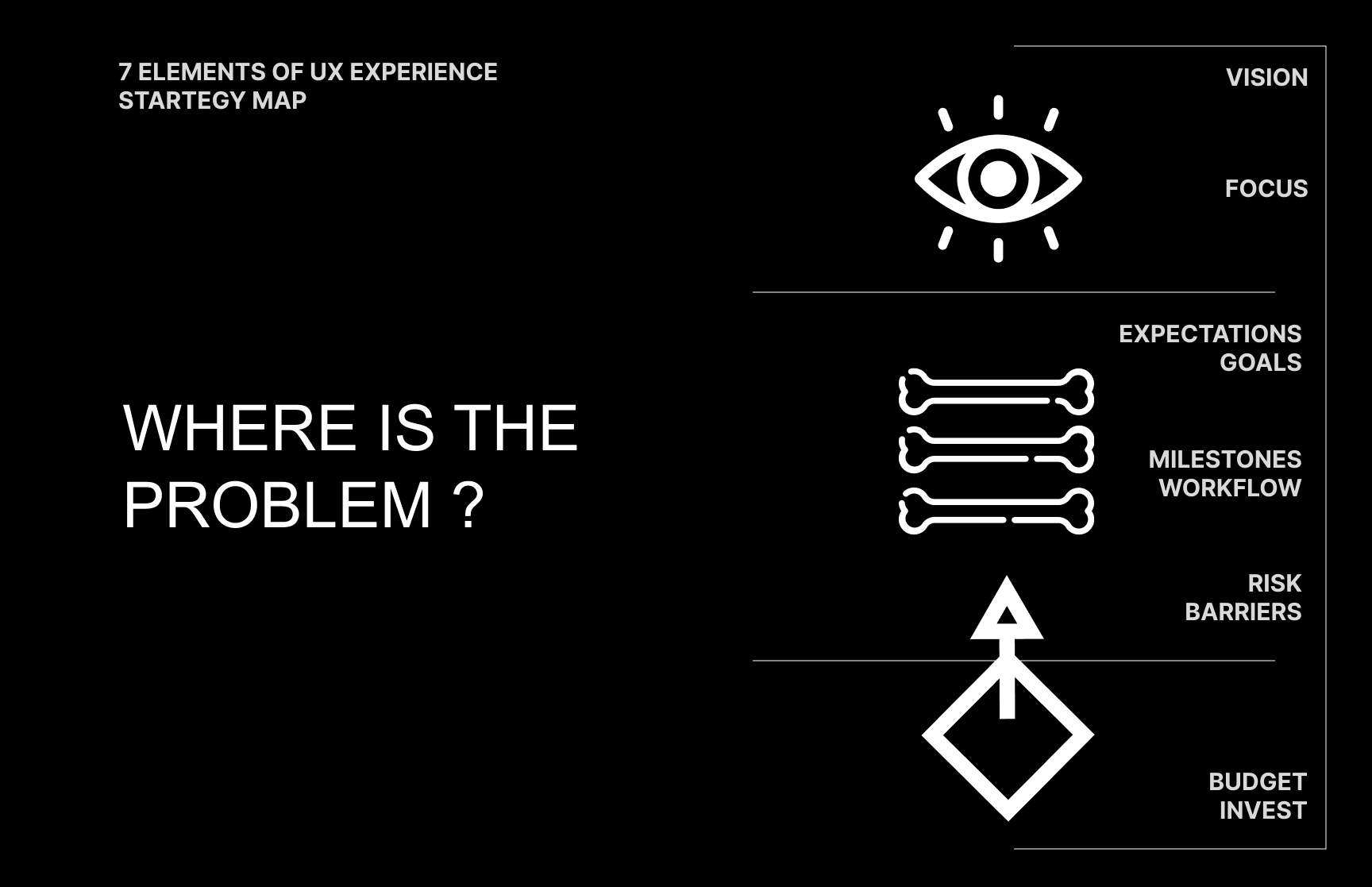
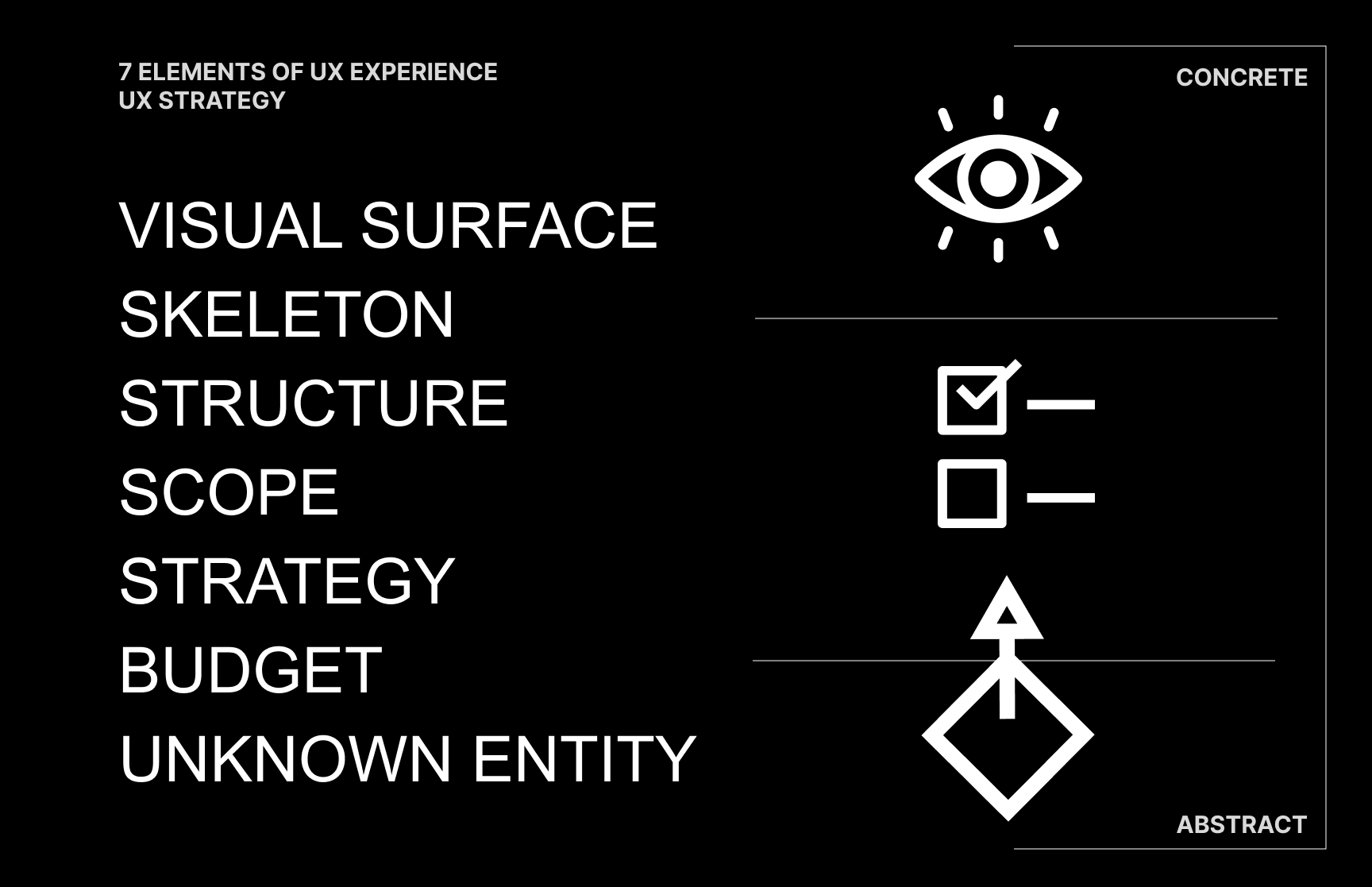
- ...talking about STRATEGY, I always find those Grafiks from IxDF - Interaction Design Foundation very useful to explain the thought process for an UX Strategy (Iceberg).
- I added 2 Elements: Budget and Unknown Entity to my own Grafik Exploration, because to execute a Strategy, and to hit a fancy design - we need to know the invest and consider unknown risk barriers. Its never all said. never all known. so its important to stay curious for the unknown.
-
09. UX Analysis
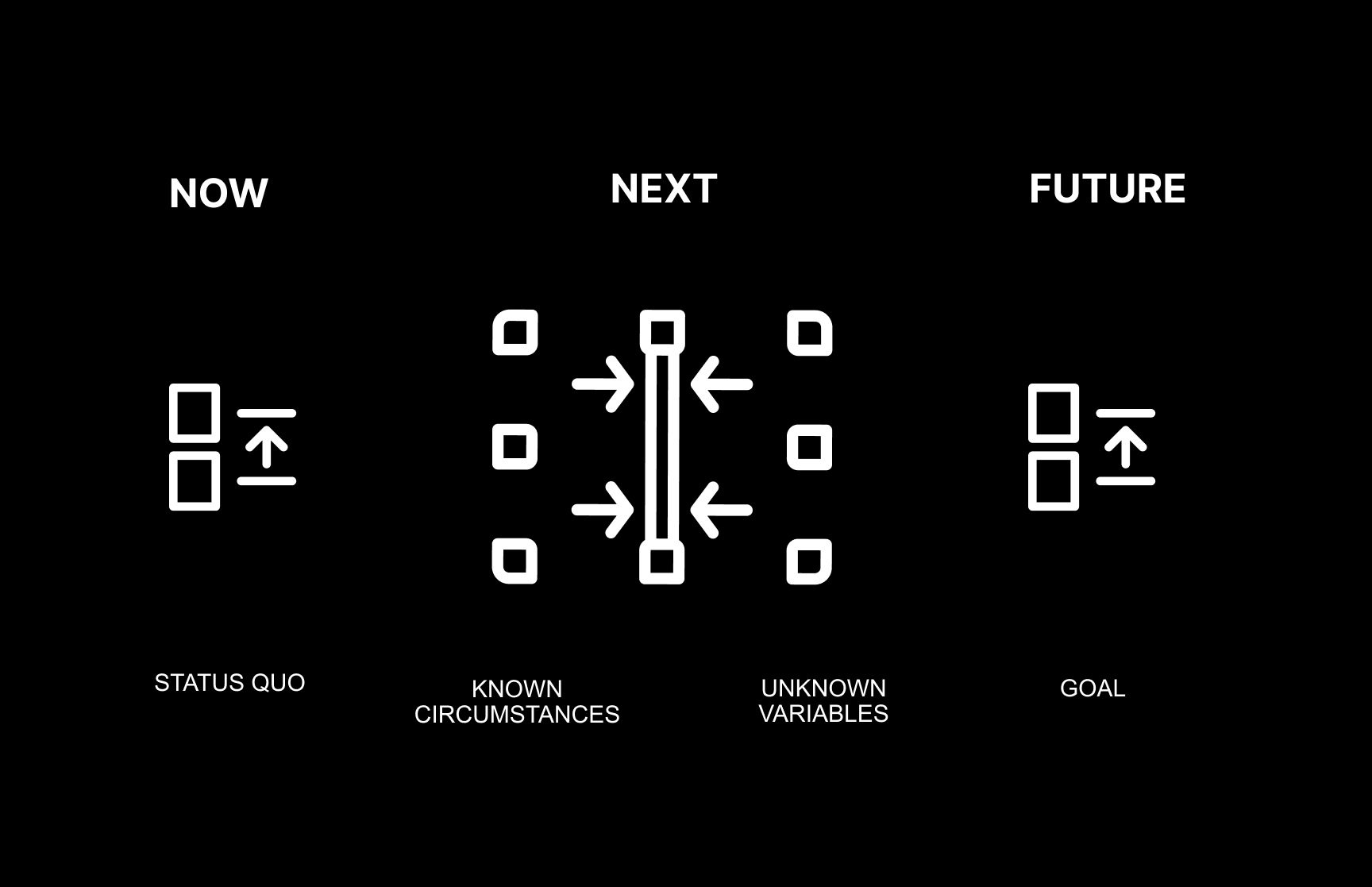
- An Analysis is a broad term of inspecting the general status quo. We have to understand what to focus on and for those problem investigation we emphathice with users and business owner. For Example with a stakeholder interview, and UX usability audit, UI aesthetics, Navigation (flows), Accessibility, Competitors or SEO conversion optimization?
-
10. UX Reports
- Methodology: how you went about the evaluation, what tasks you asked the users to perform, what data was collected, what scenarios were used, who the participants were and their demographics
- Test Results: An analysis of all the data collected, including illustrations such as bar charts and textual descriptions of the findings, and user comments that might be particularly illustrative or enlightening. Depending on whom you are communicating the report to, this section may contain some more technical details, such as the type of statistical analyses used.
- Findings and Recommendations: what do you recommend, based on the data that you collected and your findings? Adobe Grafic Source: brankospejs
- terms I use to explain my process -
-
00. CSD Matrix
-
01. SMART Goals
-
02. MosCoW Priorisation
-
03. OKR'S and KPI's
-
04. HEART Framework
-
05. Value Proposition
-
06. Problem Statement
-
07. Hypothesisis - Assumptions
- The Questions that comes from the User Journey and the Problem Statement are re-framed as Hypothesis, finding a possible Solution to its problem. With HMW - How Might We Questions we brain storm ideas and figure out options how to solve it. It also involves Market Research thinking about viability of the service and what would best solve the problem.
- terms I use to explain my process -
-
01. Emphatize Workshops
- Workshops align team members and stakeholders and are a useful tactic for discovery. Some workshops commonly used in discoveries include:
- Kickoff workshop: A kickoff workshop occurs at the beginning of the discovery and aims to create alignment on the objective of the discovery, and when it will be complete. It is normally attended by the client or key stakeholders who are invested in the discovery, as well as by the discovery team itself. It can also include agreement on the roles and responsibilities of each team member during the discovery.
- Assumption-mapping workshop: Many teams bring in experts and conduct data-gathering activities in a workshop. They question the validity of certain ‘facts’ and identify the deep-rooted assumptions that need further exploration. Part of this workshop can also include prioritizing assumptions in terms of risk to the project’s outcome. The riskiest assumptions should be prioritized in terms of research activities.
- Research-question–generation workshop: This workshop is similar to the assumption-mapping workshop, and the two are often combined; the team discusses what the unknowns are and drafts research questions. The research questions can be prioritized in terms of their importance and how well they will work to gather the knowledge needed to move forward.
- Affinity-diagramming workshop: After performing exploratory user research — such as user interviews, contextual inquiry, and diary studies — insights and observations are transferred to sticky notes and the team works to affinity-diagram them to uncover themes around problems, causes, symptoms, and needs.
- Mapping workshop: The team plots insights from user research and other investigations into a map of the problem space, customer experience, journey, or service. The map is used to create alignment, to identify gaps that need further research, and to highlight major opportunities.
- Ideation workshop: This workshop takes place at the end of the discovery. Once the team has performed the necessary research, the team crafts ideation statements like How-Might-We’s based on the problems or insights it has uncovered and uses them to generate solution ideas to explore going forward.
-
02. Design Sprints
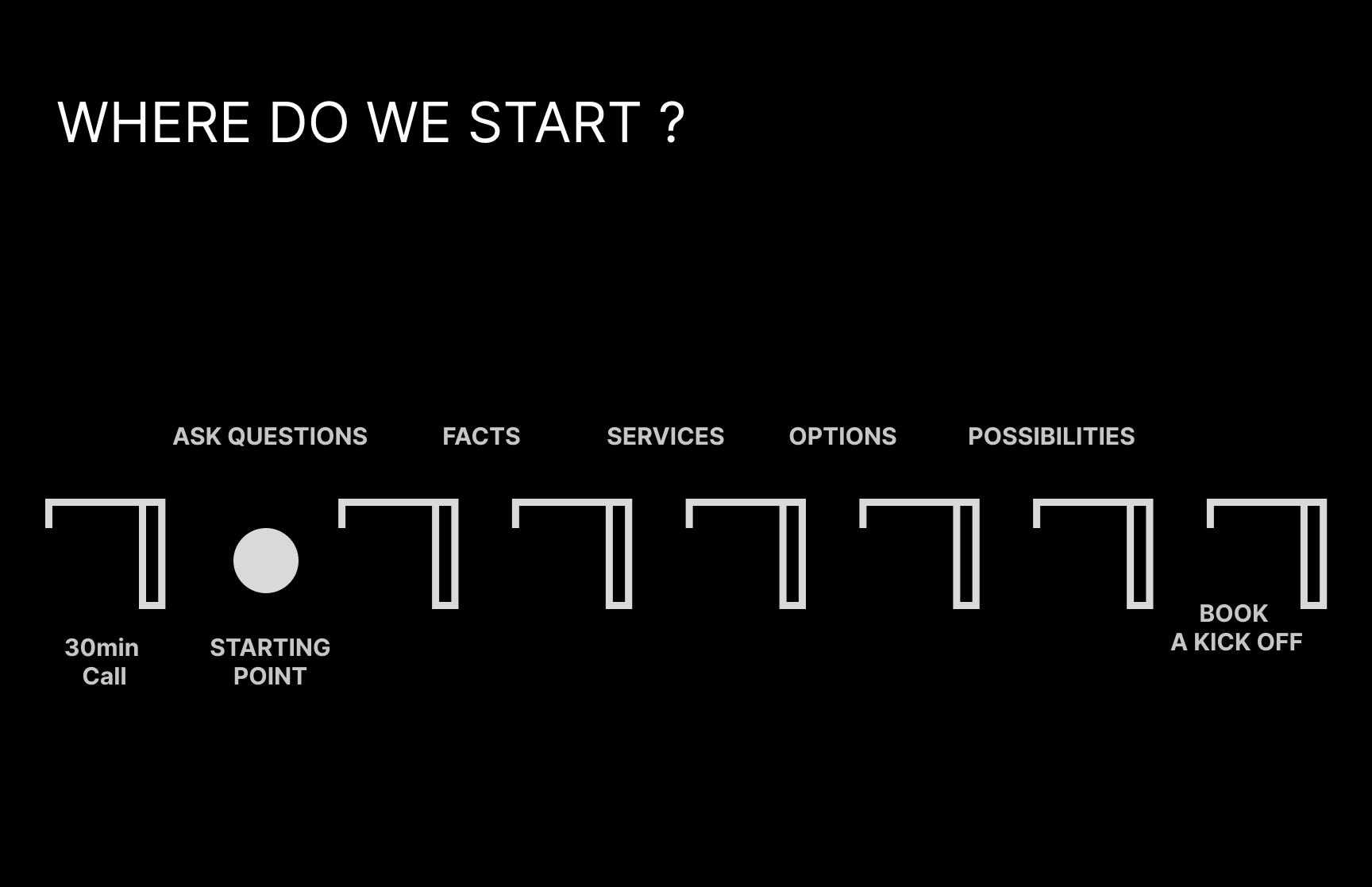
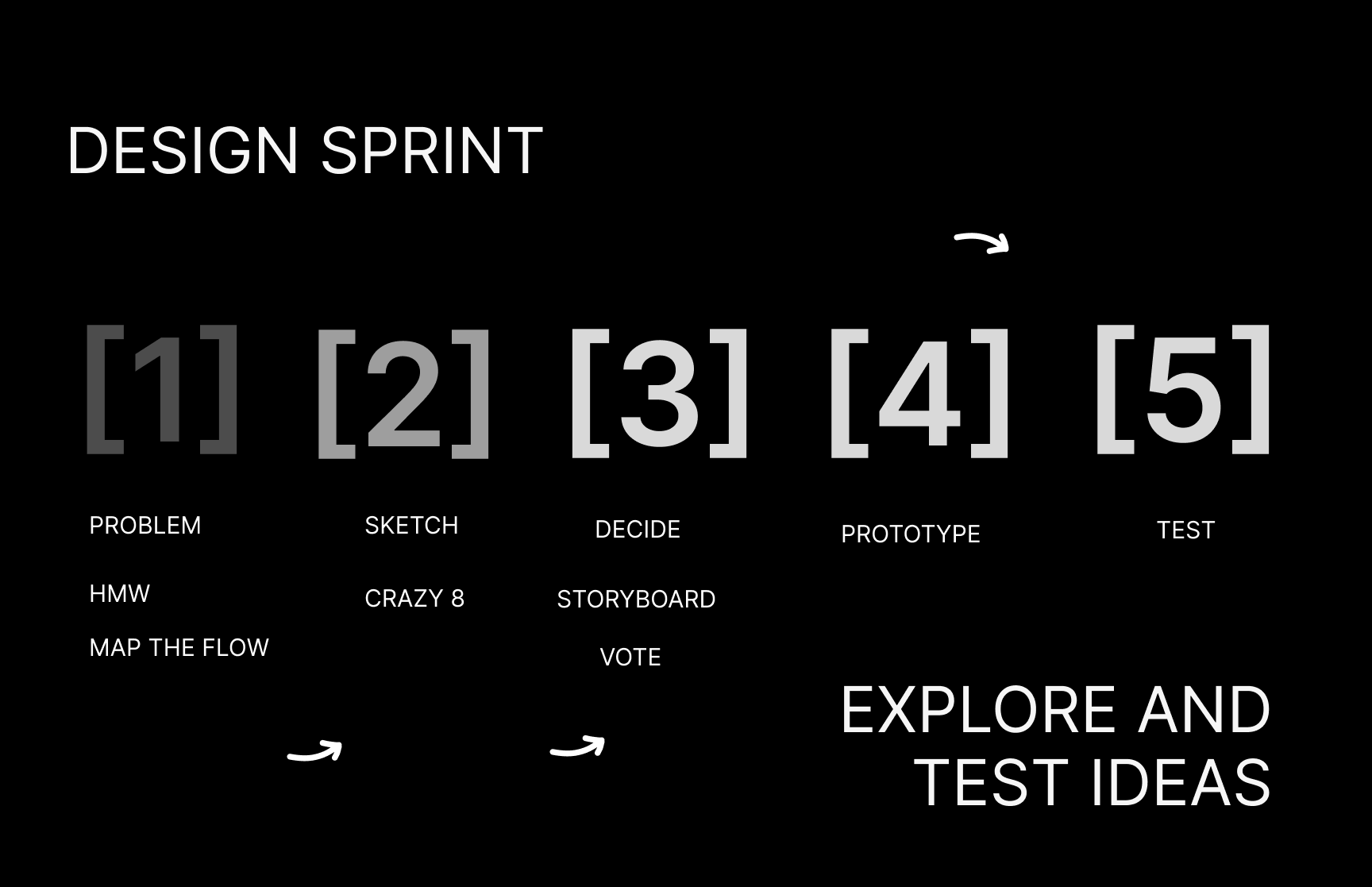
- A design sprint is a digital product development method developed by Jake Knapp at Google Ventures in 2010. Design sprints provide a framework for addressing problems in digital product development. A specific problem is set for a week (5 days or 2 weeks) and KPI's are defined on Monday, a solution is sketched out, prototyped, and then tested in a very short space of time. All relevant competencies, such as product managers, stakeholders, and subject matter experts, come together for five days. But it can also be used as general framework, to define a problem or research questions on monday and investigate on it for a week, to set up the workflow and present solutions on the upcoming week.
- 04. Brainstorming
-
05. Design Thinking
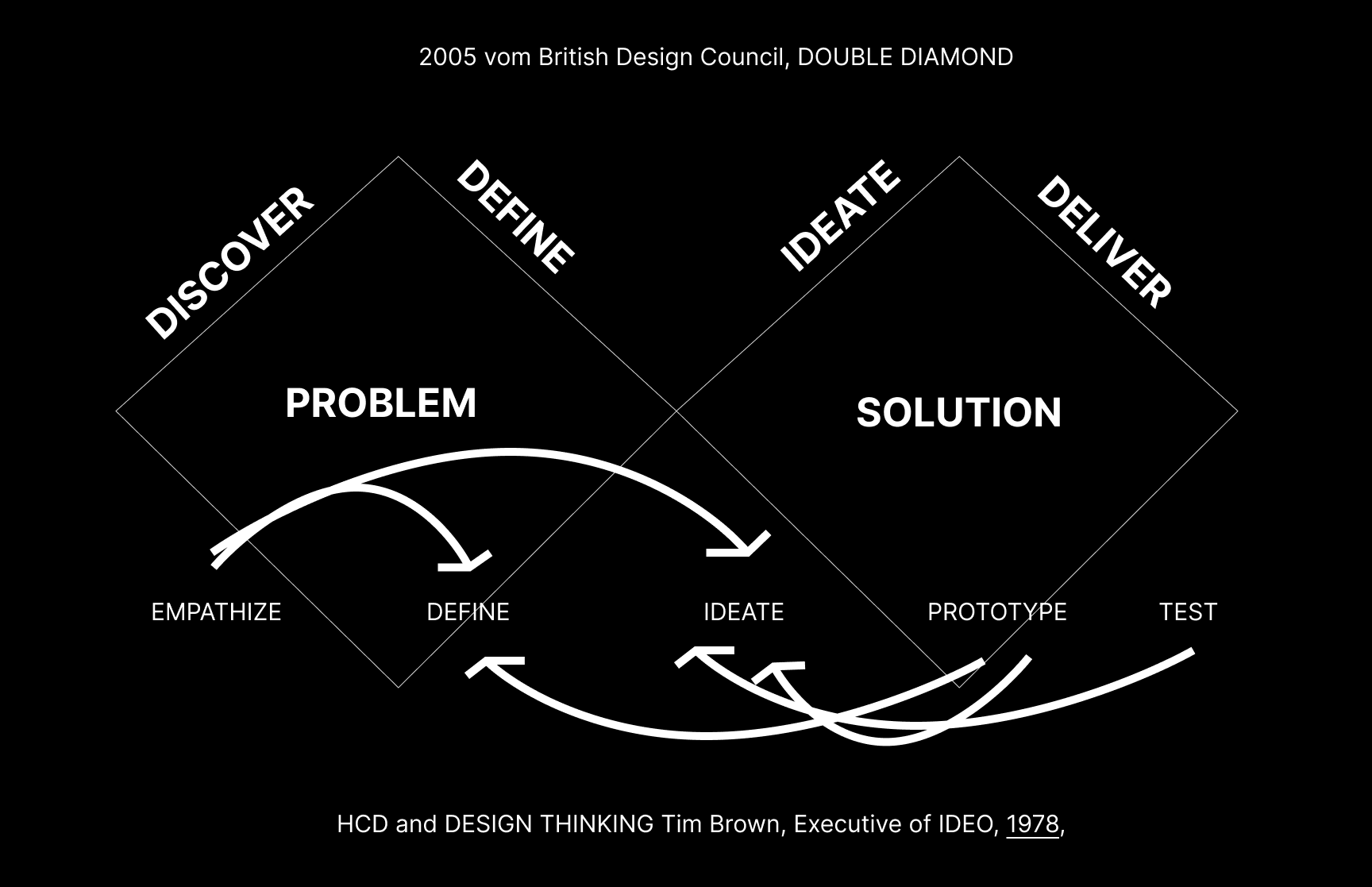
- A method of the UX Discovery is the Design Thinking is a non-linear, iterative process that teams use to understand users, challenge assumptions, redefine problems and create innovative solutions to prototype and test. It is most useful to tackle ill-defined or unknown problems and involves five phases (Sometimes 7): Empathize, Define, Ideate, Prototype and Test.
- We’ve outlined a direct and linear design thinking process here, in which one stage seemingly leads to the next with a logical conclusion at user testing. However, in practice, the process is carried out in a more flexible and non-linear approach.
- Empathy is crucial to problem-solving and a human-centered design process as it allows design thinkers to set aside their own assumptions about the world and gain real insight into users and their needs.
-
06. Double Diamond
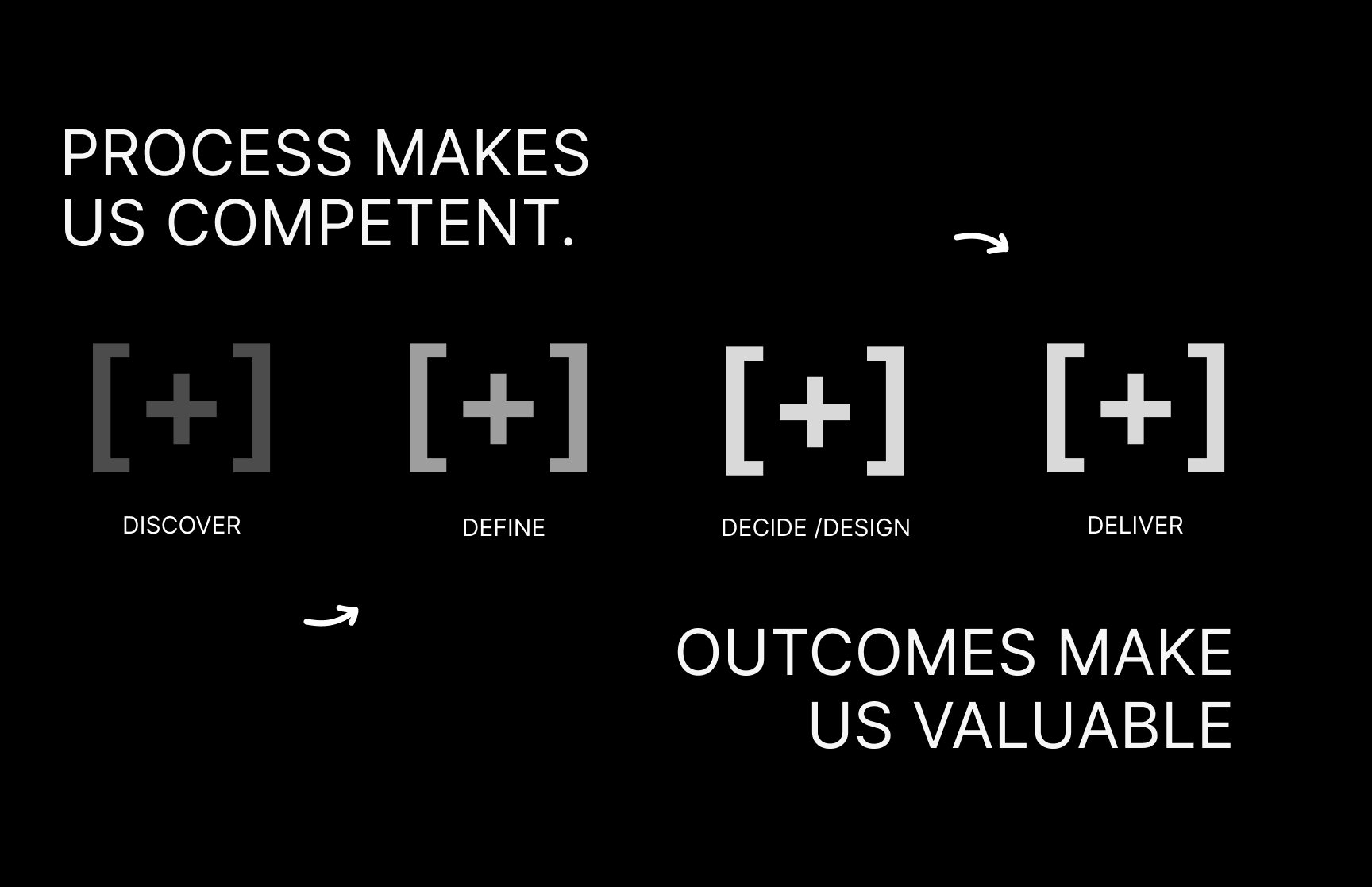
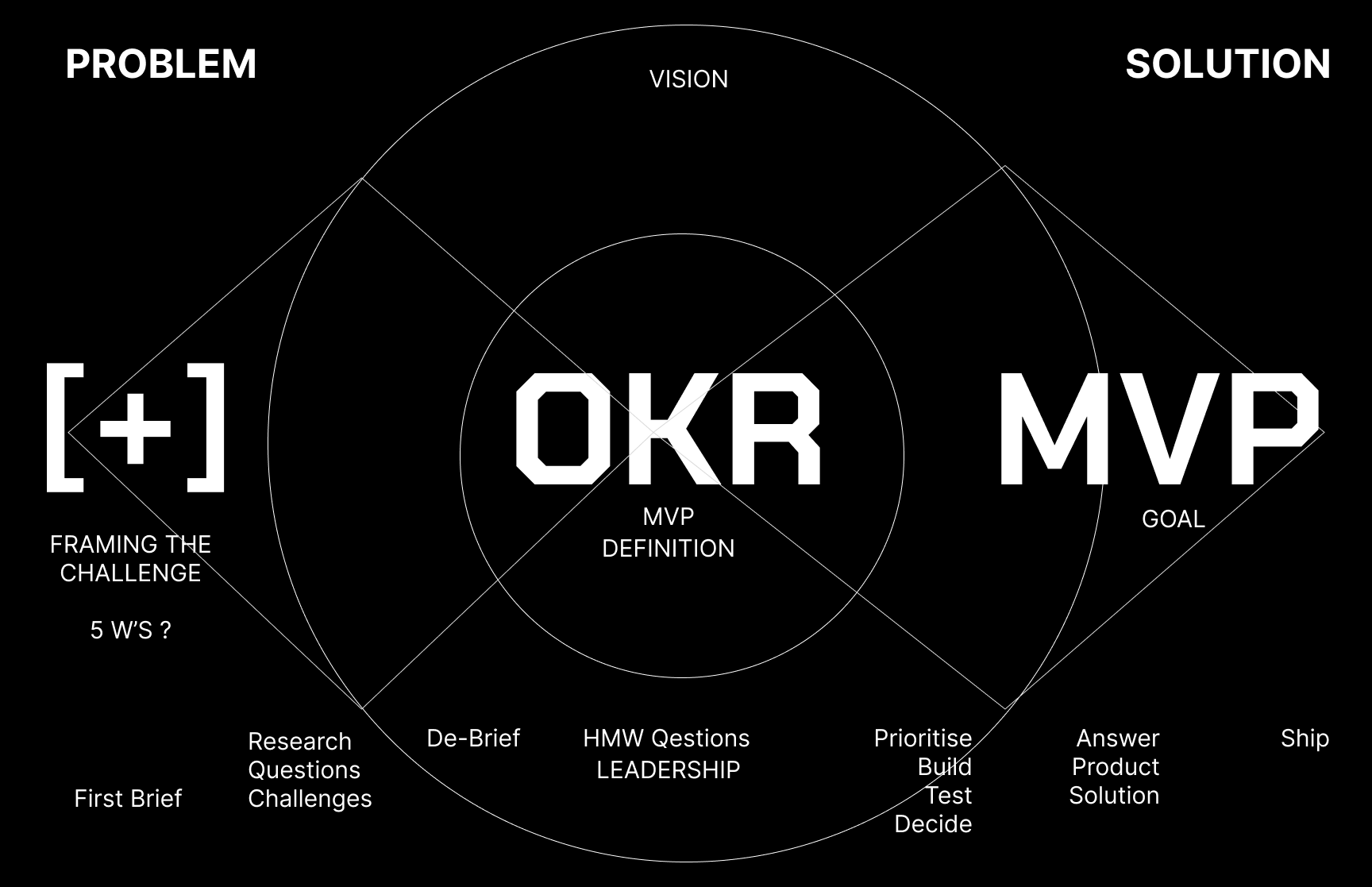
- A discovery starts broad and requires team members to investigate the context of the problem. The double-diamond diagram introduced by the UK Design Council — and reproduced below — illustrates the high-level process of a discovery: first, the team expands its understanding of the problem by researching its full context; armed with this knowledge, the team agrees on what the problem is, before moving to the next phase of ideating and testing in the Develop stage.
-
07. Stakeholder Interview
-
08. User Personas
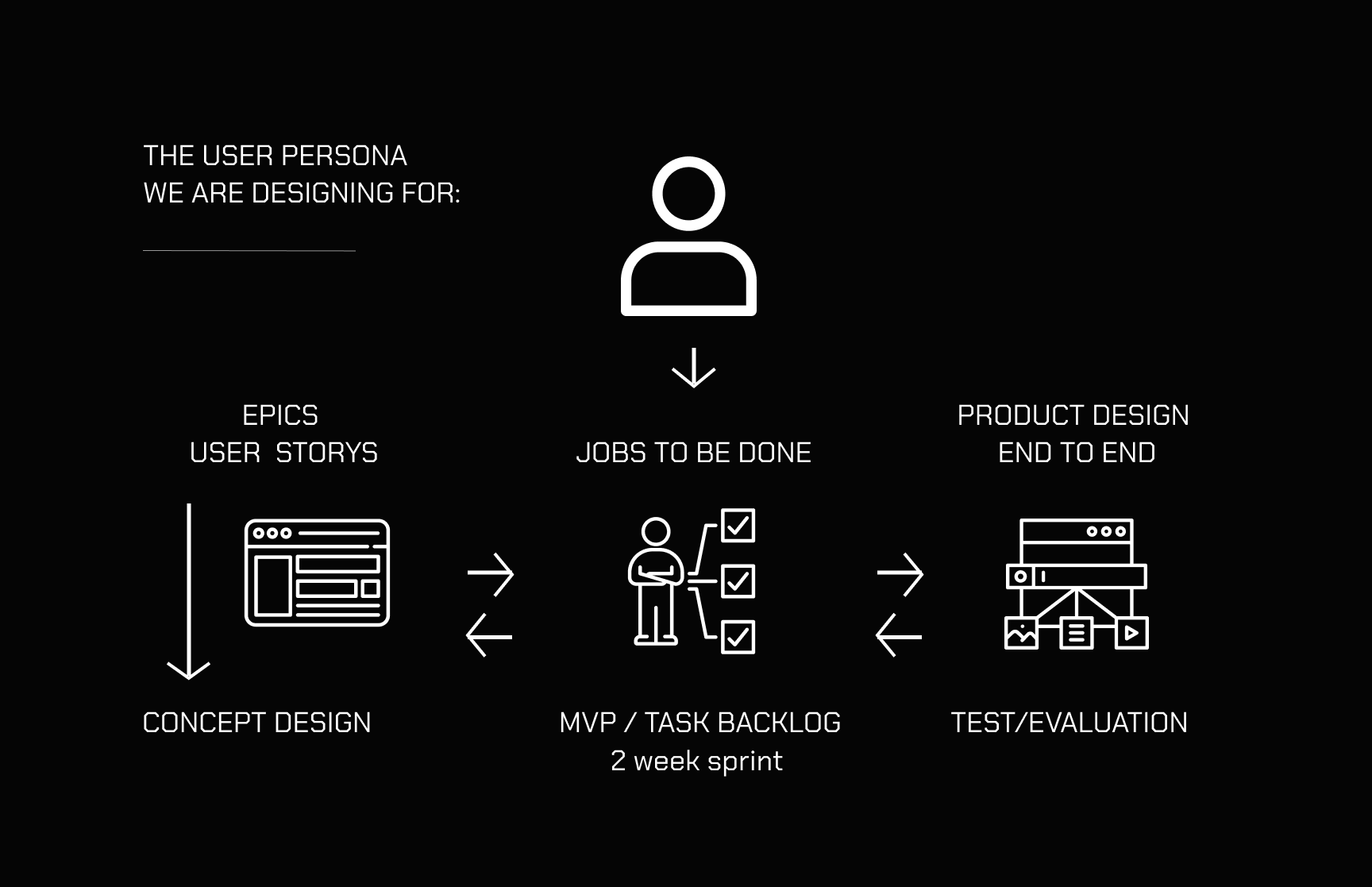
- User personas are fictional, generalized representations of your ideal users. They help you understand your users’ needs, experiences, behaviors, and goals. Here’s a breakdown of what a user persona typically includes, followed by a few example personas.
- Name: (Fictional name)
Age: (Age or age range)
Occupation: (Job title or industry)
Location: (City, country, or region)
Background: (Education, career path, relevant life context)
Goals: (What they want to achieve—related to your product/service)
Challenges/Pain Points: (Obstacles they face)
Needs: (Specific features or solutions they seek)
Technological Comfort Level: (Tech-savvy, average, beginner)
Preferred Channels: (Social media, mobile app, website, etc.) - User Personas are helpful to map out Jobs to Be Done, Use Cases, Task Analysis and User Journeys
-
09. Jobs to be Done
-
10. Use Case Definition
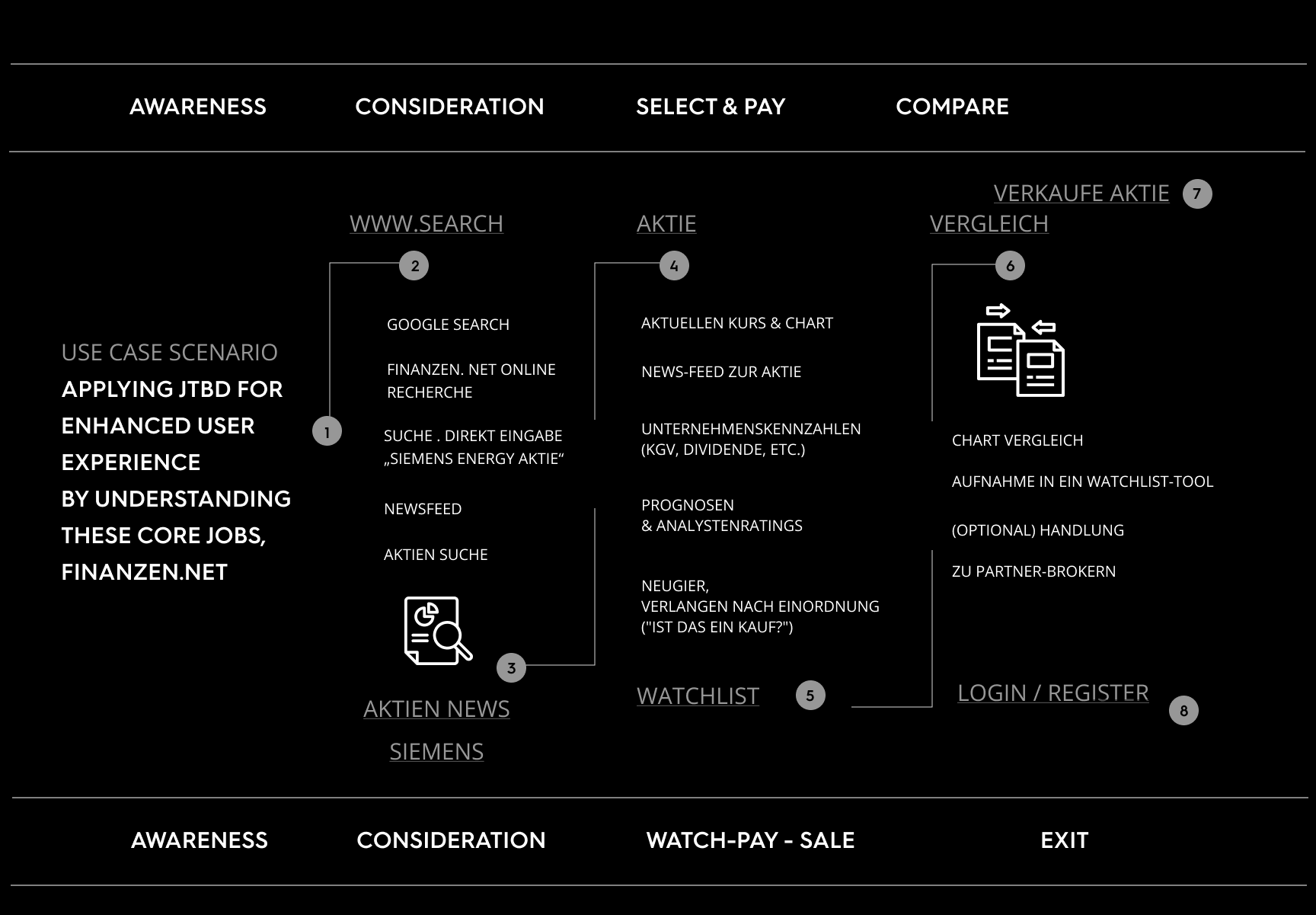
- A Use Case describes how a user interacts with a system to achieve a specific goal. It defines a functional scenario — who is using the system, what they are trying to do, and how the system responds.
- Example: Use Case – Persona hears about Company Stock News
Primary Persona: First Time User (no Account)
Goal: Read the latest financial news to make investment decisions → Open a Depot → Buy/Sale
Preconditions: User has access to the internet and search tools
Main Flow: User enters stock news in search engine → opens the news homepage finanzen.net → User browses headlines → User clicks on a relevant stock article → System displays Stock Detail Page with full content analysis → Buy/Sale option - Alternate Flows: 3a. User filters for "stock market" or "DAX"
- Postconditions: User is informed and ready to act based on news
-
11. Task Analysis - User Flow
- 12. Journey Mapping
-
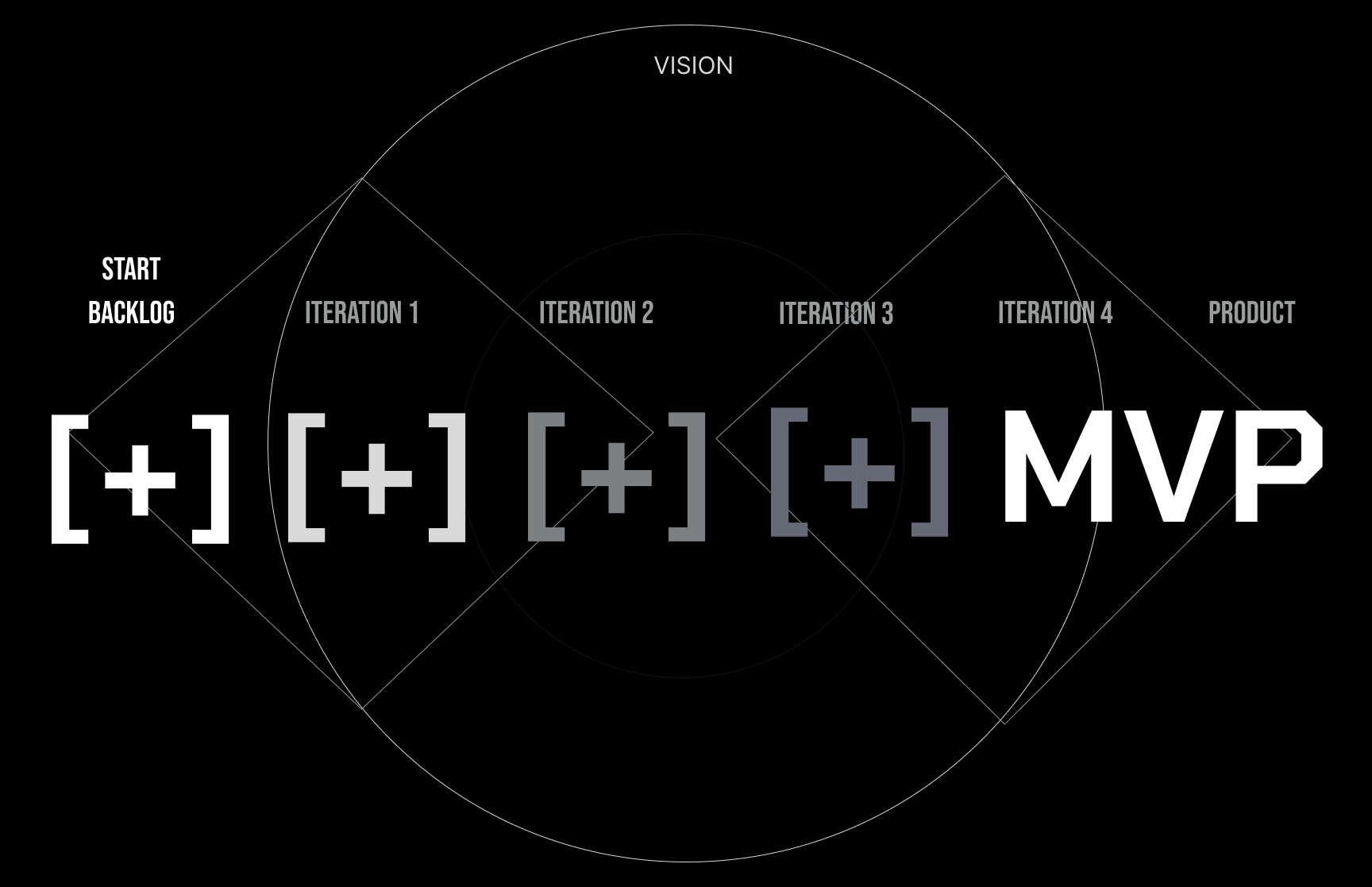
13. MVP
- A Minimum Viable Product (MVP) is the simplest version of a product that can be released to early users with just enough features to: Deliver core value, Solve a real problem, Collect feedback for future development.
- If you already have requirements for an MVP, I can help you define its core features, success metrics, or even sketch an MVP roadmap. Just let me know your product idea and vision statement.
- terms I use to explain my process -
-
00. Design Principles
- Design is a discipline of study and practice focused on the interaction between a person — a ‘user’— and the man-made environment, taking into account aesthetic, functional, contextual, cultural and societal considerations. As a formalised discipline, design is a modern construct.
- Concretely, most people’s experience of design stems from their daily interaction with physical objects, built spaces and digital environments. We interact with what is around us, and each other, through designed constructs. Clothing, devices, transportation, user-interfaces, the landscape, the city, even the chair you are sitting in, were all designed by the choice we do.
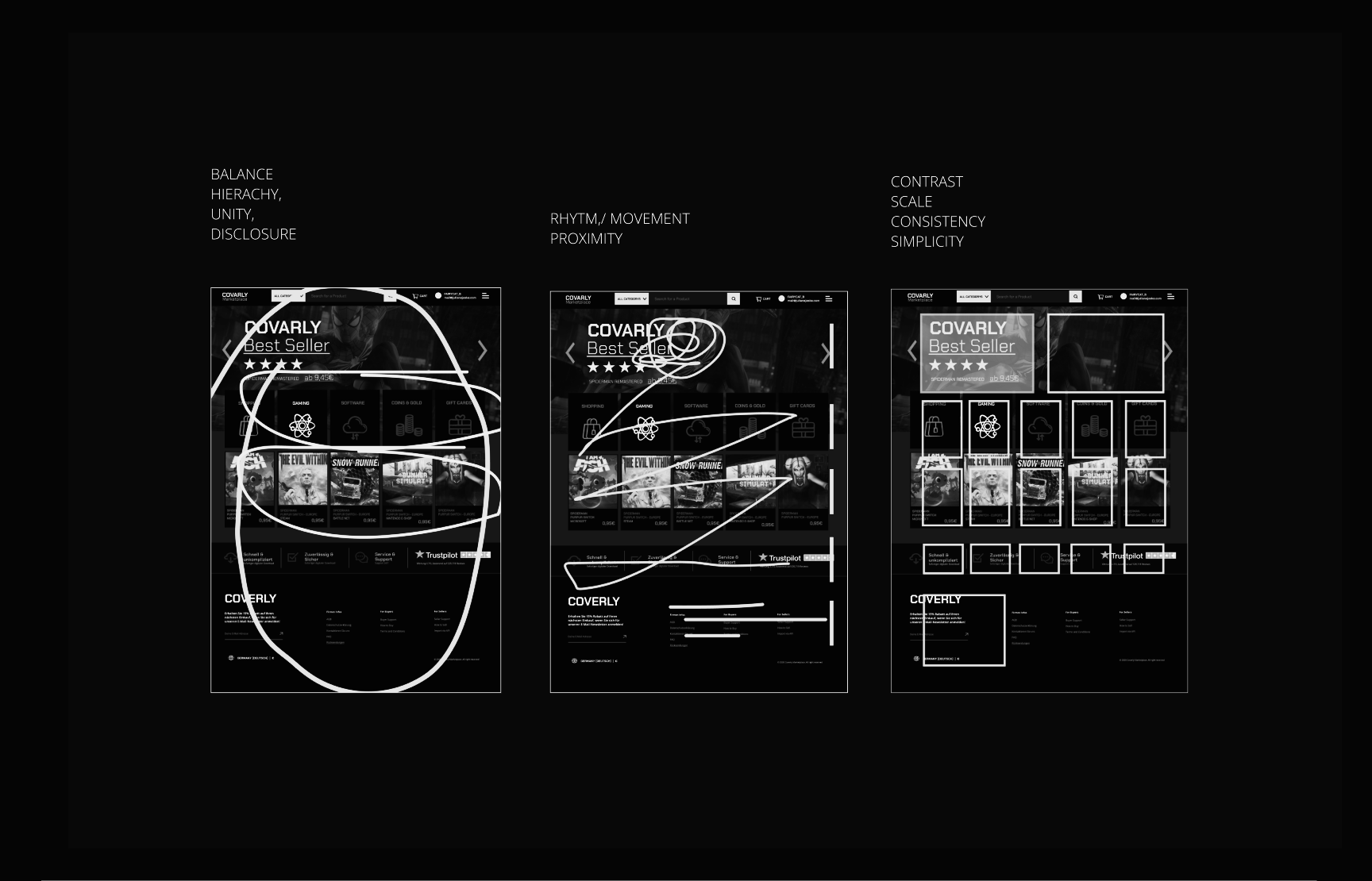
- "Design principles" are fundamental ideas and guidelines that inform and guide the process of creating effective, aesthetically pleasing, and user-friendly designs. These principles apply across various design disciplines—graphic, web, product, interior, etc.—and help designers make consistent and coherent decisions.
- Here are 10 key design principles commonly used: Balance, Hierarchy, Unity, Contrast, Emphasis, Alignment, Repetition, Proximity, White Space, Movement..attached an example for Website
-
01. Design Screen Inventory
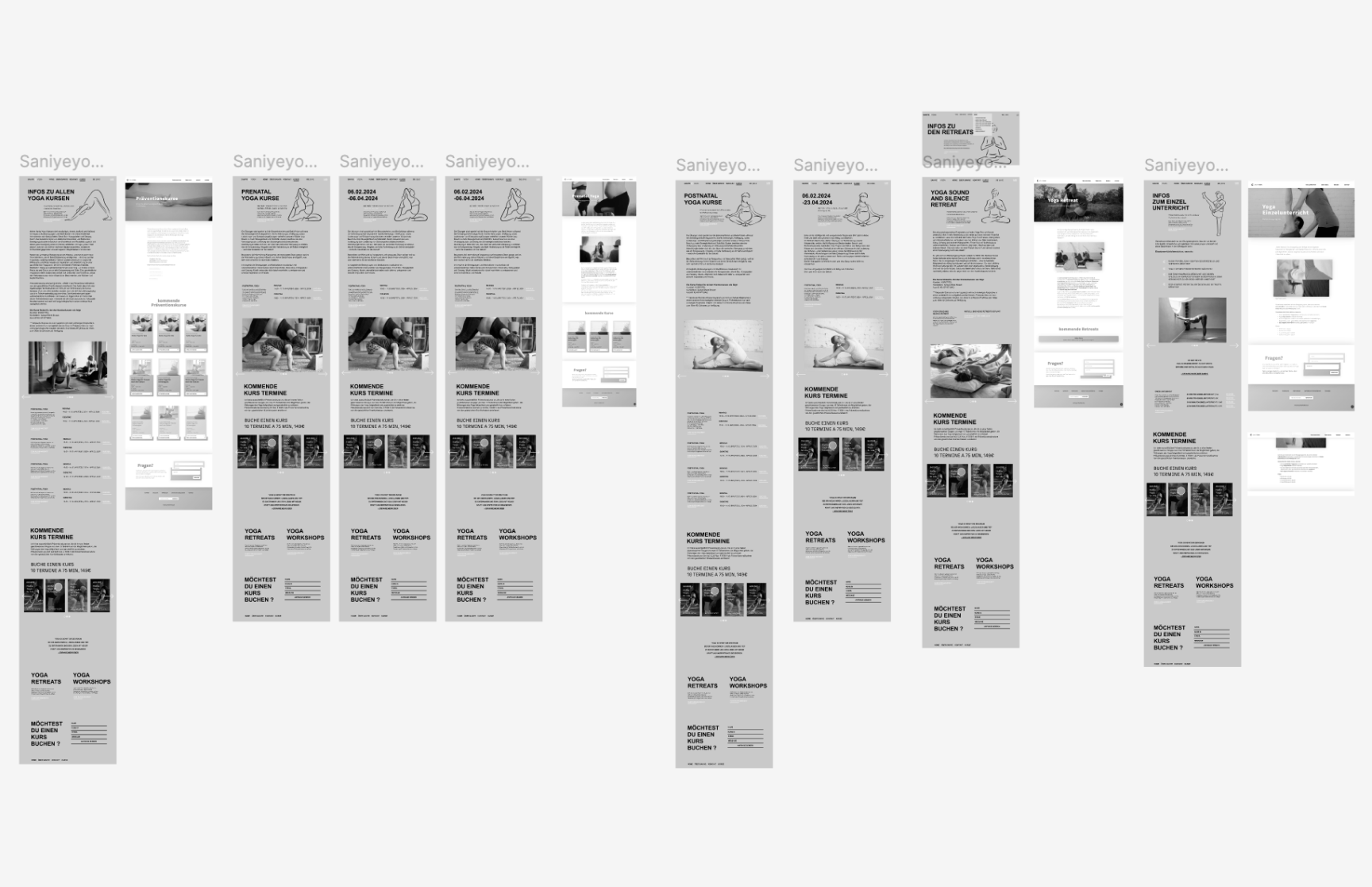
- Screen Inventory" is a UX and UI design technique used to document and analyze all the different screens or pages in a digital product—like a website, mobile app, or software platform.
- A Screen Inventory is essentially a comprehensive list or map of every unique screen or view in a digital interface. Why do i recommend to Use a Screen Inventory ?
- Why Use a Screen Inventory? Helps teams understand the scope of the product. Useful for redesign projects or UX improvements. Helps with feature planning, wireframing, or prototyping. Identifies redundant or inconsistent screens.
- A screen Inventory should go hand in hand with a Use Case Analysis (LogIn, Registration, or a specific Goal of the User) and Navigation Tree Map.
-
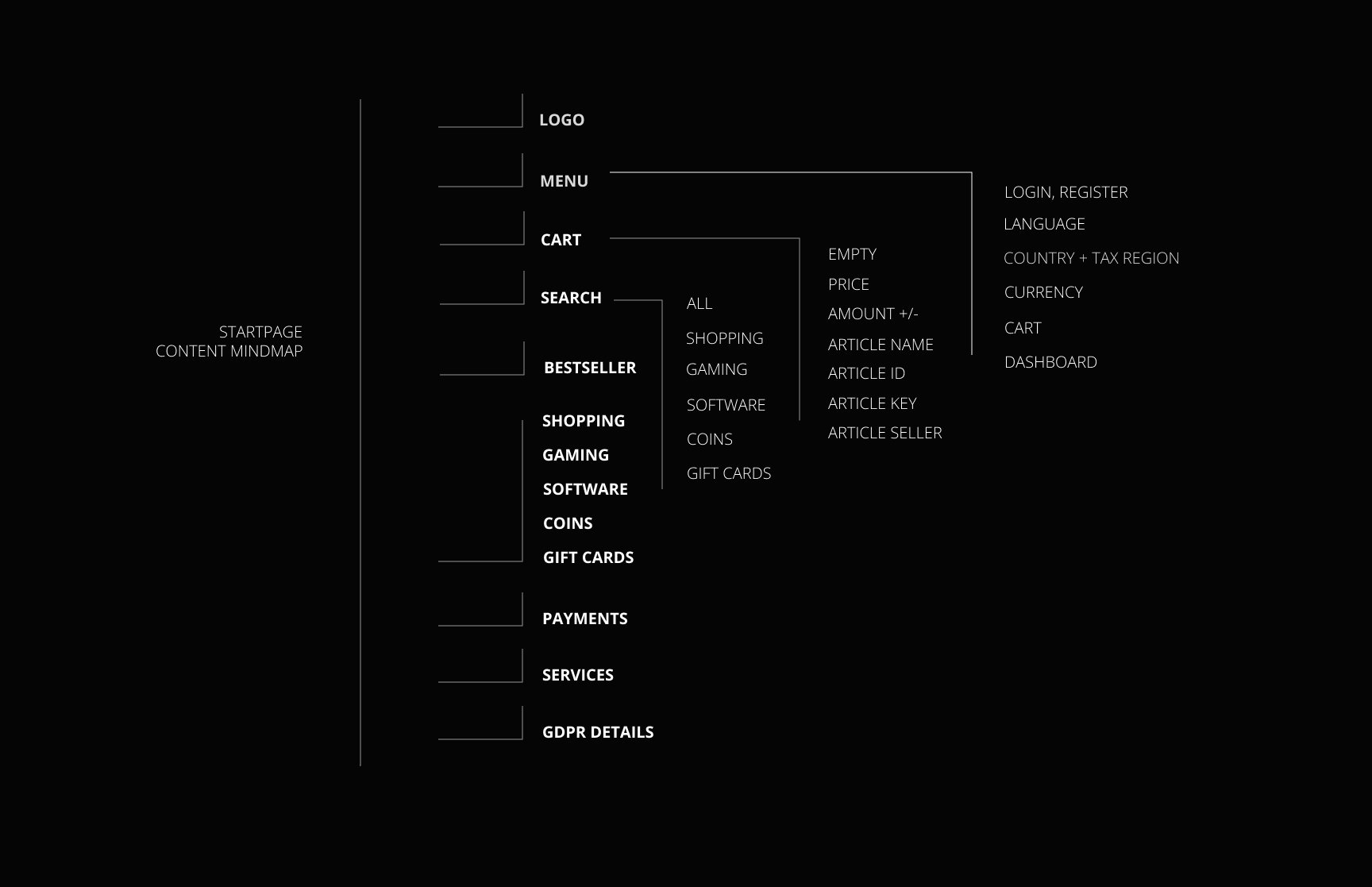
02. Design Sitemap - SEO - Navigationtree
- A navigation tree (or site map) is a hierarchical diagram or list that shows how the content of a website or application is structured. It helps in organizing pages, improving user experience, and guiding development and design. It also helps to look at what to focus on, defining User Problems, Frictions, Churn.
- What a Navigation Tree Includes:
Main Sections (Top-Level Navigation): Core categories or pages.
Subsections (Child Pages): Nested pages under each main section.
Relationships: Shows how pages are connected or accessible.
Optional Elements: Links to external resources, user account pages, admin tools, etc.
- 03. Webdesign (Responsive Webdesign)
- 04. App Design
- 05. Service Page Design (Landing Page)
- 06. SaaS Dashboards Interface
-
07. UI Design
-
08. UX Design
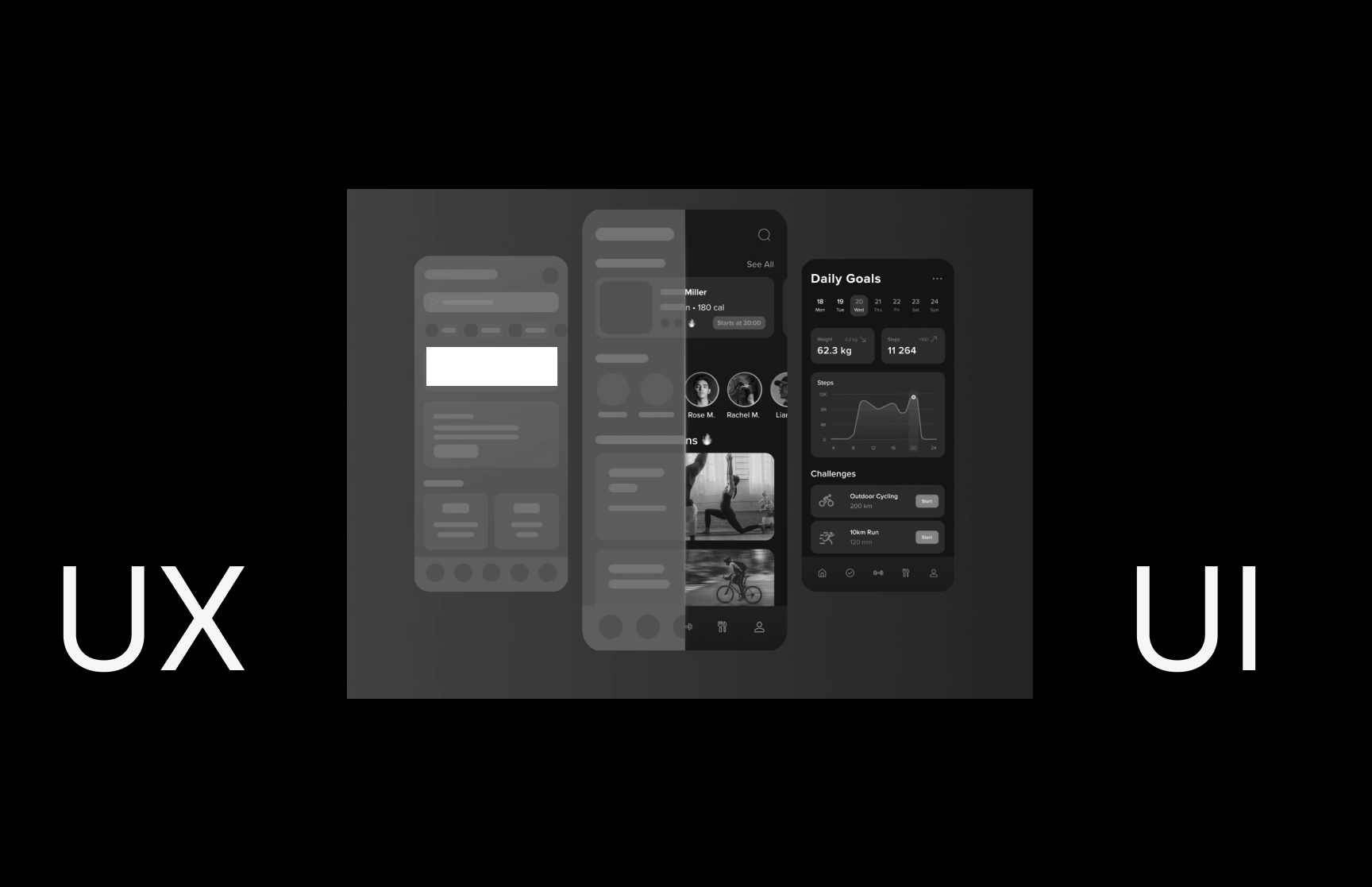
- Often confused with UX design, UI design is more concerned with the surface and overall feel of a design. UI design is a craft where you the designer build an essential part of the user experience. UX design covers the entire spectrum of the user experience (information architecture and logic). One analogy is to picture UX design as a car with UI design as the driving console.
-
09. Design System
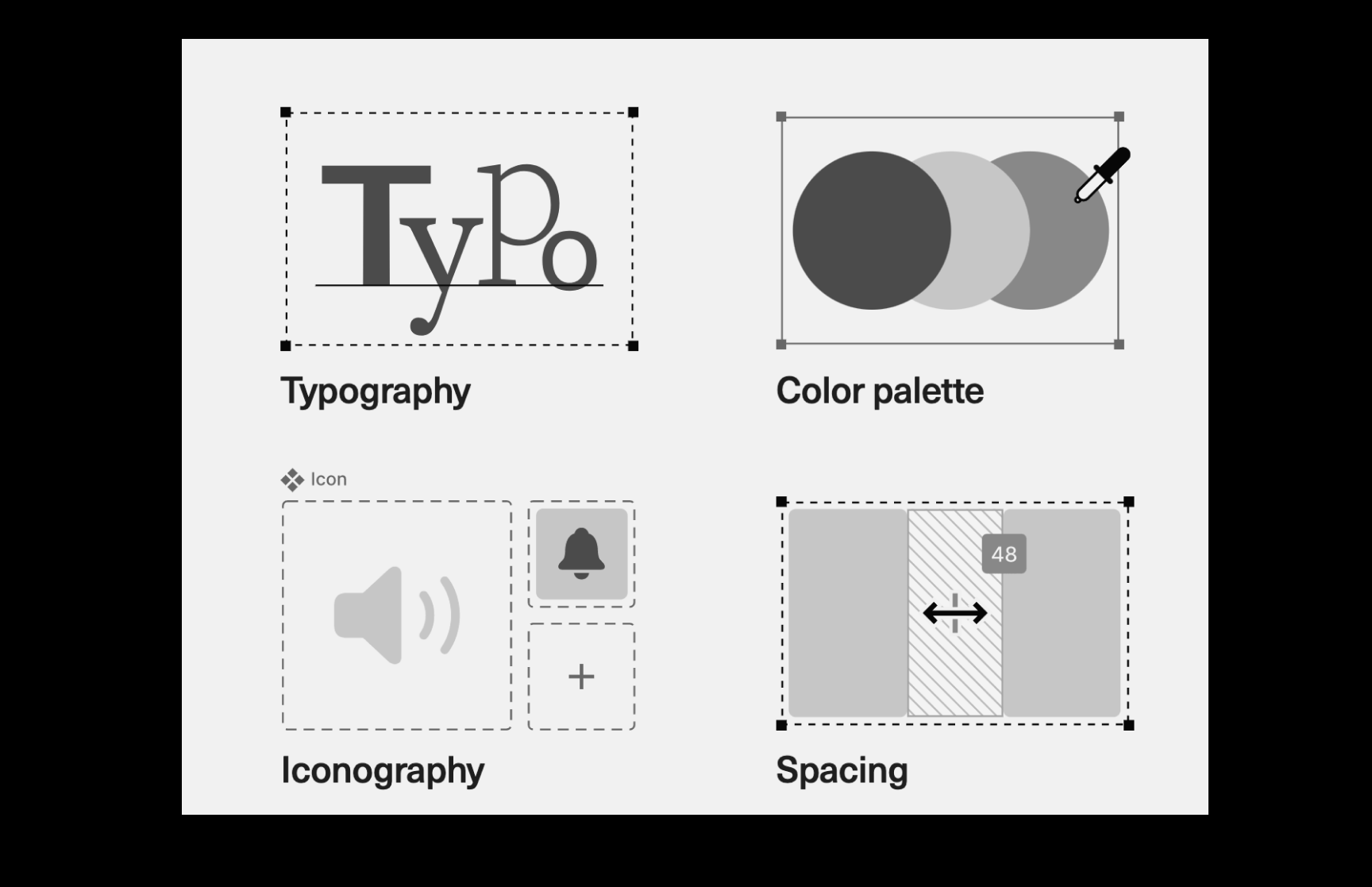
- A design system is a collection of guidelines, components, and standards used to design products and services. It serves as a guide for the development and implementation of digital products.
- terms I use to explain my process -
- 01. Code (Frontend + Backend)
- 02. Webdevelopment (CSS, JS, Tailwind)
- 03. Squarespace or Webflow Setup
- 04. Git Version Control
- 05. Sass/Less
- 06. Wordpress CMS
- 07. E-Commerce Setup
- terms I use to explain my process -
Throughout my career, I've worked with agencies, startups, and enterprises, and I've seen and heard many definitions of UX strategy. The problem with evolving technology terminology is that it causes confusion among clients, stakeholders, recruiters, and designers alike.
These terms I use to create a general understanding about Design UX terminology, in our workflow process - to avoid missunderstandings, and to establish a smooth workaround with all team members.